


Digital declutter challenge season is here and December is the perfect moment to slow down breathe a little deeper and reset the digital chaos that has been following you all year. If your screens feel crowded your apps feel noisy or your mind feels pulled in twenty directions this gentle seven day reset will help you find calm again.
This digital detox December guide is soft simple and designed so anyone can follow it even if you feel overwhelmed already. You will move one step at a time with supportive nudges practical tasks and reflection prompts to help you feel lighter.
Let’s begin your peaceful reset.
Day 1: Clear Your Home Screen To Create Instant Calm
Today is about removing the visual clutter that hits you every time you unlock your phone. A messy home screen keeps your mind buzzing. A clear one gives you a clean slate to start your phone declutter plan.
What to do
• Delete apps you have not opened in over a month
• Move social apps to a separate folder so they stay out of your line of sight
• Keep only your essential daily apps on the main screen
• Pick a calming wallpaper so your phone feels like a gentle space
Reflection Prompt
What does your home screen feel like now compared to this morning
Helpful Resource
Explore mindful tech use at https://www.headspace.com
Day 2: Organize Your Photos Like You’re Tidying A Memory Drawer
Your camera roll holds so many moments but also so much noise. Today is about giving your memories room to breathe. This continues your digital declutter challenge with real emotional impact.
What to do
• Delete blurry photos
• Remove duplicate screenshots
• Favorite the photos that truly matter
• Create a simple album structure
• Back up to a cloud service so nothing gets lost
Reflection Prompt
Which deleted photo felt surprisingly easy to let go of
Helpful Resource
Use Google Photos tools at https://photos.google.com
Day 3: Declutter Your Notes, Reminders, And Random Lists
Everyone has a chaotic notes app with half ideas shopping lists from last spring and reminders that no longer mean anything. This step supports your digital detox December by clearing invisible stress.
What to do
• Delete notes that no longer matter
• Merge similar notes into one
• Archive long term projects
• Keep only active to do lists
• Add simple categories if you want extra calm
Reflection Prompt
What old note made you smile or surprise you
Helpful Resource
Explore organization ideas at https://www.notion.so
Day 4: Clean Your Inbox Without The Stress
Inbox chaos feels emotionally heavy even when you are not reading every message. Today your phone declutter plan extends to emails in a way that feels gentle and doable.
What to do
• Search by sender and delete in batches
• Unsubscribe from newsletters you never open
• Create two folders Important and Later
• Move everything out of your main inbox
Reflection Prompt
What kind of emails drain your energy the most
Helpful Resource
Visit email cleanup tool Unroll Me at https://unroll.me
Day 5: Review Your Social Media For A Healthier Mind
Social apps shape your mood without you noticing. Today is about making them kinder calmer places as you move through your digital declutter challenge.
What to do
• Unfollow accounts that stress overwhelm or annoy you
• Mute people you care about but need space from
• Follow accounts that inspire or ground you
• Turn off notifications that pull you away from real life
Reflection Prompt
Which unfollow or mute choice felt like a breath of fresh air
Helpful Resource
Learn mindful social usage at https://www.commonsensemedia.org
Day 6: Decluttering Apps You Don’t Use Anymore
Apps multiply quickly. Today is about removing ones you forgot existed to bring ease back into your device and help you stick to a lighter digital detox December routine.
What to do
• Delete apps you haven’t used in 90 days
• Offload apps you rarely use but might need later
• Remove apps that tempt you into constant checking
• Keep only the tools that add value joy or convenience
Reflection Prompt
Which deleted app were you surprised you never actually needed
Helpful Resource
Discover app alternatives at https://www.producthunt.com
Day 7: Create A Gentle Ongoing Routine So Your Reset Lasts
This final step ties everything together. With your screens calmer and your mind clearer your digital declutter challenge should feel like a fresh start. Today is about making sure the calm stays with you into the new year.
What to do
• Choose one tech free hour a day
• Review your digital space weekly
• Keep notifications on only essential apps
• Continue deleting photos and files regularly
• Make this routine part of your monthly reset
Reflection Prompt
What part of this challenge made the biggest difference in your mood
Helpful Resource
Read healthy tech balance tips at https://www.healthline.com
Your Gentle December Reset
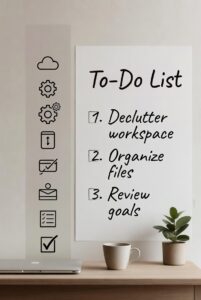
By now you have followed a full digital declutter challenge, made space for mental clarity, practiced small pieces of digital detox December, cleaned your screens with a thoughtful phone declutter plan, and felt the peace that comes from decluttering apps you no longer need. You moved step by step with patience and kindness toward yourself.
Take a deep breath. Notice the stillness.
Your devices feel lighter but more importantly your mind does too.
Your mind will thank you later.


