


What Really Happens When You Clear App Cache

Introduction
If you have ever opened your phone storage settings and seen the option to clear cache, you are not alone in wondering what it really does. Many people tap it hoping for an instant speed boost, while others avoid it entirely out of fear of losing important data. The confusion comes from how quietly cache works in the background and how rarely it is explained in plain language.
Understanding what happens when you clear app cache is not about memorizing technical definitions. It is about knowing what changes on your phone, what stays the same, and when clearing cache is actually useful versus when it does nothing at all. Once you understand this, you stop guessing and start making informed decisions about your device.
This guide walks you through the reality behind cache, clears up common myths, and helps you decide when clearing cache makes sense for you.
What app cache actually is
Every app on your phone stores temporary files to help it load faster. These files might include images, short video clips, layout elements, login tokens, or small pieces of data that do not need to be downloaded again every time you open the app.
This temporary storage is called cache. It exists to improve performance and reduce repeated data usage. Without cache, many apps would feel slower, especially on weaker connections.
Cache is not the same as personal data. It is also not the same as app data. Cache is designed to be disposable. Apps expect it to change or disappear without breaking core functionality.
What happens when you clear app cache
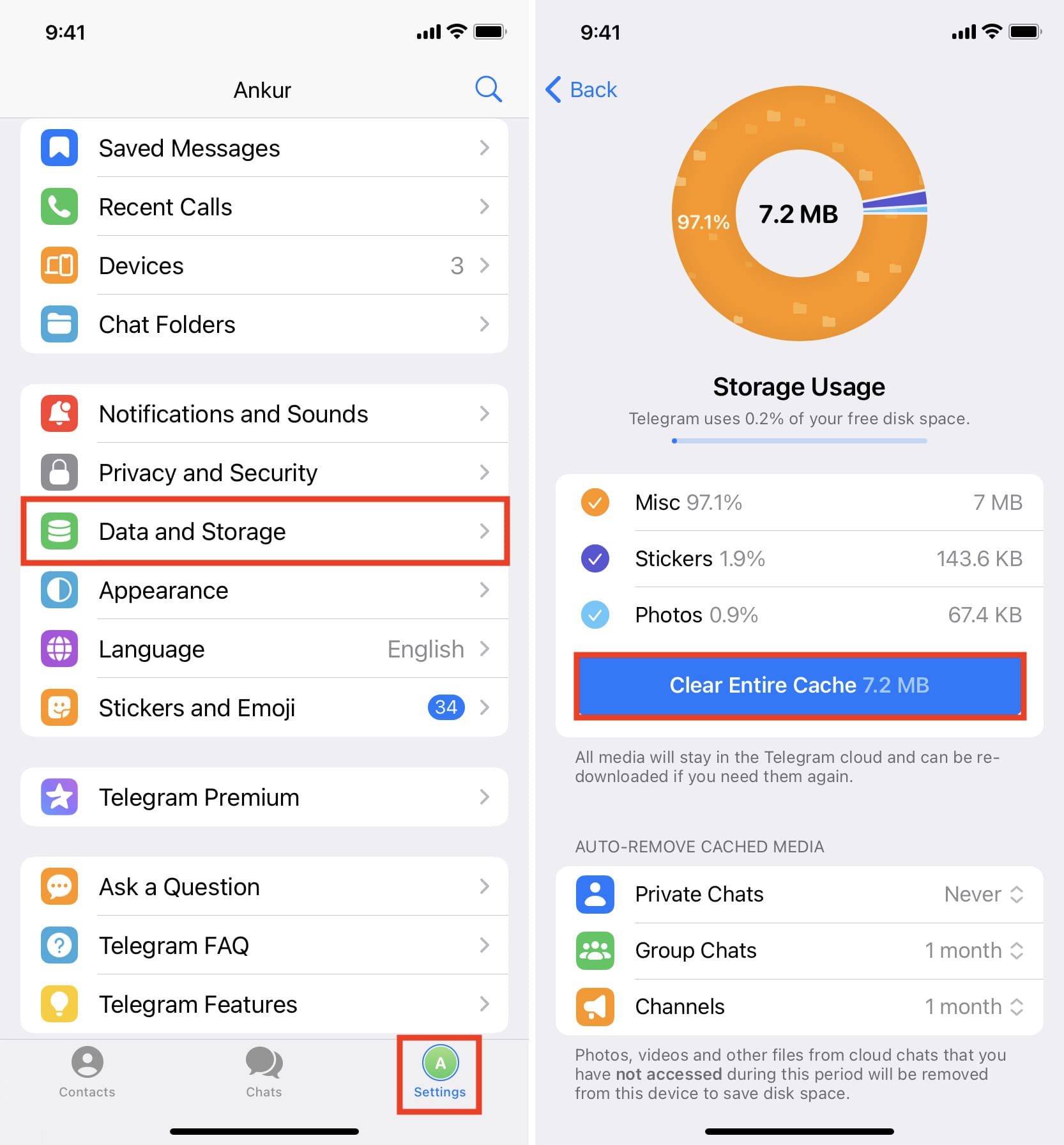
When you clear cache, your phone deletes those temporary files stored by the app. That is it. The app itself remains installed. Your account stays logged in in most cases. Your settings usually stay the same.
The app simply rebuilds the cache the next time you use it.
This is why clearing cache often frees up storage immediately but does not permanently reduce space usage. Over time, the cache grows again as the app continues to operate normally.
Understanding what happens when you clear app cache helps remove unnecessary fear. You are not wiping the app. You are giving it a fresh temporary workspace.
What clearing cache does not do
Clearing cache does not delete your photos, messages, contacts, or saved files inside the app. It does not remove subscriptions. It does not uninstall the app.
It also does not magically fix every performance issue. If an app is slow due to bugs, outdated software, or poor optimization, clearing cache may have little or no effect.
Cache is only one small part of how apps behave.
Cache versus app data explained simply
This is where many people get confused. Cache and app data are very different.
Cache is temporary. App data is permanent unless you remove it.
App data includes login credentials, saved preferences, downloaded files, and databases. Clearing app data usually resets the app as if it were newly installed.
Clearing cache is safe. Clearing app data is more disruptive.
Most operating systems separate these options for a reason. If you only want to refresh performance or free a little space, cache is the correct choice.
When clearing cache actually helps
There are situations where clearing cache is genuinely useful.
If an app crashes repeatedly, corrupted cache files can be a cause. Clearing cache can force the app to rebuild those files correctly.
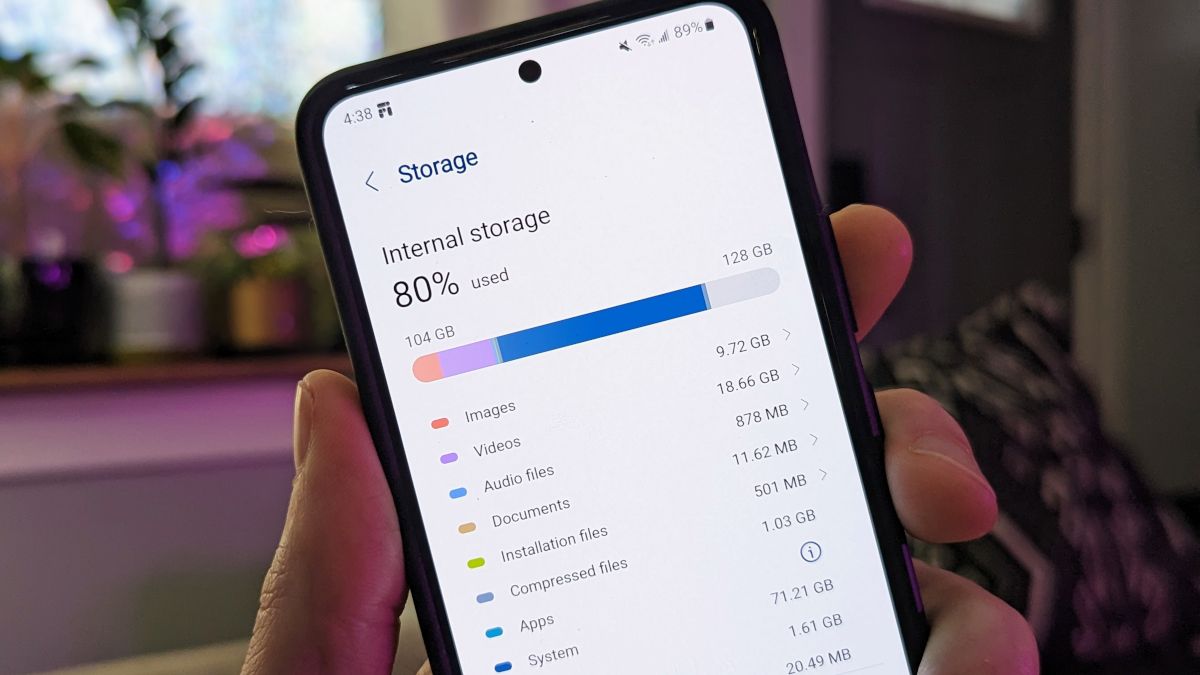
If storage is nearly full, clearing cache across multiple apps can temporarily free up space and help the system function more smoothly.
If an app displays outdated content, clearing cache can force it to reload fresh information.
These are practical cases where understanding what happens when you clear app cache leads to real benefits.
When clearing cache does nothing
If your phone is slow because of limited memory, an aging processor, or heavy background activity, cache is not the problem.
If battery drain is caused by location tracking or constant syncing, clearing cache will not stop that behavior.
If an app is slow due to server issues, cache will not fix it.
This is why blindly clearing cache every week is unnecessary for most users.
Android versus iPhone differences
Android gives users more direct control over cache. You can clear cache per app or system wide depending on the device manufacturer.
Apple handles cache more quietly. iOS does not always offer a clear cache button. Instead, it manages cache automatically or requires deleting and reinstalling certain apps to fully reset temporary files.
This difference explains why advice online often feels contradictory. Both systems use cache, but they expose it differently to users.
Does clearing cache improve speed
Sometimes yes, often no.
If an app is misbehaving due to corrupted temporary files, clearing cache can make it feel faster immediately.
If everything is working fine, clearing cache can briefly make the app feel slower as it rebuilds those files.
Speed improvements are situational, not guaranteed.
Does clearing cache save data usage
Only temporarily.
When cache is cleared, the app needs to download files again. This can actually increase data usage shortly after clearing.
Over time, cache reduces data usage by preventing repeated downloads. Removing it too often can work against you.
Why cache grows so large over time
Apps evolve constantly. New features mean new temporary files. Media heavy apps like social platforms store previews, images, and video segments aggressively.
Cache grows because apps are optimized for convenience, not minimal storage.
This is normal behavior, not a sign of a problem.
Should you clear cache regularly
For most users, no.
Phones are designed to manage cache automatically. Manual clearing is best used as a troubleshooting step, not routine maintenance.
Understanding what happens when you clear app cache helps you use it intentionally instead of habitually.
Best practice approach to cache management
Check storage usage monthly, not daily.
Clear cache only for apps that show unusually high usage or misbehavior.
Avoid clearing cache system wide unless storage is critically low.
Trust the operating system unless you see a clear reason to intervene.
External references for deeper understanding
For readers who want verified technical explanations, these resources provide trustworthy insights:
Android Developers documentation on app storage
https://developer.android.com/guide/topics/data/data-storage
Apple official support on storage management
https://support.apple.com/en-us/HT201656
Electronic Frontier Foundation on mobile data behavior
https://www.eff.org/issues/mobile
How-To Geek explanation of cache vs data
https://www.howtogeek.com/
Consumer Reports on smartphone performance myths
https://www.consumerreports.org/
These links are provided for learning, not pressure. They reinforce the same principles explained here.
Frequently Asked Questions
Will clearing cache delete my saved passwords
No. Saved passwords are part of app data or system keychains, not cache.
Can clearing cache log me out of apps
Rarely. Most apps keep login sessions in secure storage, not cache. A few older apps may require sign in again.
Is it safe to clear cache on banking apps
Yes. Clearing cache does not remove account data, but avoid clearing app data unless instructed by the bank.
Does clearing cache help battery life
Indirectly at best. It does not stop background activity or reduce power usage long term.
How often should I clear cache
Only when there is a clear issue like crashing, display errors, or critically low storage.
Final thoughts
Cache is not something to fear or obsess over. It exists to make your phone feel smoother and more responsive. Knowing what happens when you clear app cache gives you control without anxiety.
Instead of reacting to storage warnings or internet myths, you now understand when clearing cache helps, when it does nothing, and when it can actually be counterproductive.
That clarity is far more valuable than any quick fix.