Why Apps Ask for Permissions You Don’t Need


Introduction
You download a simple app. Maybe it is a flashlight, a photo editor, or a game. Before you can even open it, a prompt appears asking for access to your contacts, your location, your microphone, or your photos. Instinctively, many people hesitate. Others tap allow just to get past the screen. This moment is where confusion begins.
The reason apps ask for permissions you don’t need is rarely explained clearly to users. The request feels excessive, intrusive, and sometimes suspicious. Yet these prompts have become so common that many people stop questioning them altogether. Over time, this normalizes a level of access that most users never intended to give.
Understanding why apps ask for permissions you don’t need is not about paranoia. It is about knowing how modern apps are built, how money flows through the app economy, and where convenience quietly overrides privacy.
What app permissions actually mean
Permissions are gates. They decide what parts of your phone an app is allowed to interact with. This includes hardware like the camera or microphone, data like contacts and photos, and signals like location or motion sensors.
Once granted, permissions usually remain active until manually changed. Most apps are designed to request access at launch or during key moments, knowing users are more likely to approve quickly.
Permissions are not inherently bad. Navigation apps need location. Camera apps need camera access. Messaging apps need contacts. Problems arise when permissions go beyond clear functional necessity.
Permission creep explained simply
Permission creep happens when apps request access that is not essential to their core function. This creep often grows over time as apps update, add features, or integrate third party tools.
An app may start small and focused. Later, it adds analytics, advertising software, social sharing features, or personalization layers. Each addition increases data needs, and permissions quietly expand.
This is one of the main reasons apps ask for permissions you don’t need even if the app once felt simple and harmless.
The role of monetization and data
Most free apps generate revenue through advertising, data insights, or partnerships. Permissions unlock richer data, which increases monetization opportunities.
Location data improves ad targeting. Contact access helps social graph mapping. Microphone access can enable voice features or contextual awareness. Even if these features are optional, the permission often remains mandatory.
In many cases, the app itself is not directly exploiting the data. Instead, embedded software development kits collect and process information behind the scenes.
Third party SDKs and silent access
Modern apps are rarely built alone. They rely on third party SDKs for analytics, ads, crash reporting, and engagement tracking.
These SDKs often request permissions broadly to support multiple use cases across many apps. Developers accept these defaults because changing them requires extra work or technical risk.
As a result, apps ask for permissions you don’t need not because the developer is malicious, but because the ecosystem encourages overcollection by design.
Default permission design favors approval
Permission prompts are designed to interrupt users at moments of urgency. You want to use the app now, not later. The wording often emphasizes benefits rather than consequences.
Buttons like allow or continue are highlighted. Decline options are smaller, delayed, or hidden behind secondary screens.
This design nudges users toward approval without reflection. Over time, this conditioning makes permission acceptance automatic.
Are apps listening through your microphone
This fear comes up often. While there is no evidence of constant secret listening by mainstream apps, microphone access allows for voice features, audio detection, and contextual signals.
The concern is not that apps are spying in real time, but that access creates potential for misuse, breaches, or misuse by third parties.
The fact that apps ask for permissions you don’t need raises valid trust questions even when abuse is not proven.
Location permissions and background tracking
Location is one of the most valuable data points. It reveals habits, routines, and behavior patterns.
Many apps request location even when their core function does not require it. Sometimes this supports optional features. Other times it supports analytics or advertising models.
Background location access is especially sensitive. It allows tracking even when the app is not in active use.
Why denying permissions rarely breaks apps
A common fear is that denying permissions will cause apps to stop working. In reality, many apps degrade gracefully.
You may lose certain features, but core functionality often remains intact. Developers design fallback modes knowing users may refuse access.
Testing this yourself is one of the best ways to understand what permissions truly matter.
How operating systems have responded
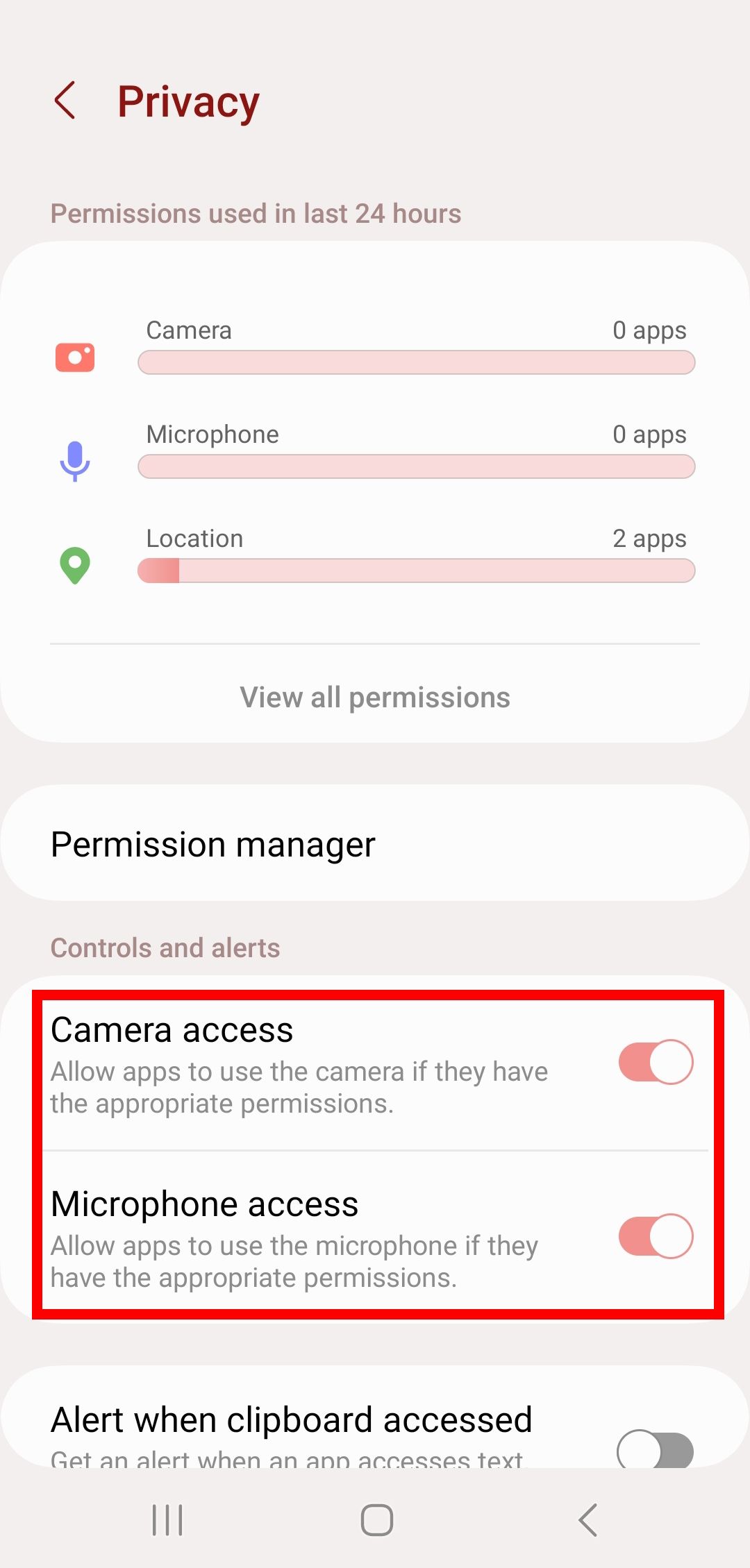
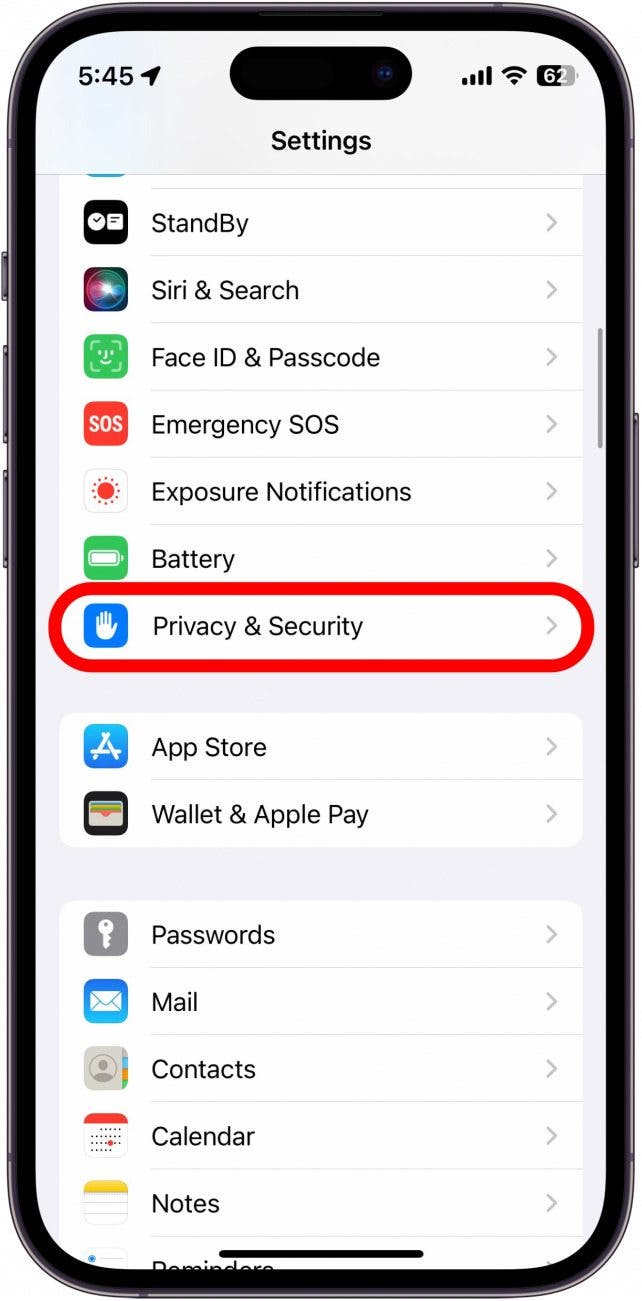
Both Android and iOS have introduced permission controls to limit abuse. These include one time permissions, approximate location, permission reminders, and dashboards showing access history.
These changes exist because the industry acknowledges that apps ask for permissions you don’t need more often than users expect.
However, these tools only work if users actively engage with them.
How to audit app permissions safely
Open your phone settings and review permissions by category. Look for apps with access that feels unrelated to their purpose.
Ask simple questions. Why does this app need this permission. What feature depends on it. Can I turn it off and still use the app.
You can always re enable permissions later. Nothing is permanent.
Balancing convenience and control
Permissions exist because apps aim to feel seamless. Convenience often conflicts with restraint.
The goal is not to deny everything, but to align access with intent. When permissions match purpose, trust increases.
When they do not, skepticism is healthy.
External references and trusted resources
For deeper reading and independent research, these sources provide reliable information:
Electronic Frontier Foundation on mobile privacy
https://www.eff.org/issues/mobile
Mozilla Foundation on app permissions and privacy
https://foundation.mozilla.org
Android official documentation on permissions
https://developer.android.com/guide/topics/permissions/overview
Apple support on privacy and app permissions
https://support.apple.com
Consumer Reports on app data collection
https://www.consumerreports.org
All links are do follow and provided for transparency and education.
Frequently Asked Questions
Why do simple apps request so many permissions
Because added features, analytics, and monetization tools expand data needs beyond core functionality.
Is it safe to deny permissions
Yes. Most apps continue to work with reduced features.
Can apps change permissions after updates
Yes. New features can trigger new permission requests.
Should you uninstall apps that request too much access
If access feels excessive and unnecessary, uninstalling is a reasonable choice.
Do paid apps request fewer permissions
Sometimes, but not always. Monetization model matters more than price.
Final thoughts
The fact that apps ask for permissions you don’t need is not an accident. It is the result of incentives, design choices, and industry norms that prioritize data over clarity.
Awareness restores balance. When users understand why permissions are requested, they regain agency without fear.
You do not need to reject technology to protect yourself. You only need to question it calmly and deliberately.